KDP Amazon Ads
Campaign Guide 2026
Amazon Ads are the most direct way to put your KDP book in front of readers who are actively searching for exactly what you publish — right at the moment of purchase intent. Done correctly, they amplify organic discovery and generate profitable, scalable sales. Done incorrectly, they drain budget with nothing to show. This guide covers every campaign type, bidding strategy, keyword structure, ACoS calculation, and optimization step — plus a free Campaign Planner that builds your first campaign setup in seconds.
📋 Table of Contents
Why Amazon Ads Are the Highest-ROI Channel for KDP Authors
Most advertising channels show your book to people who might be interested in books. Amazon Advertising shows your book to people who are already on Amazon, already searching for books, and already have a credit card attached to their account. The purchase intent is unmatched by any other advertising platform available to self-published authors.
The second advantage is measurability. Amazon's advertising dashboard tells you exactly which keywords generated clicks, which generated sales, what you spent, and what your exact return was. This data is a goldmine — not just for your ads, but for your organic keywords, your book description, and your category strategy. Authors who run Amazon Ads even at a modest budget learn more about their book's audience in 30 days than they would learn from months of organic-only publishing.
Your Book Must Be Ready Before You Advertise
Amazon Ads send traffic to your book listing. If your cover, description, reviews, and pricing are not optimized, you will pay for clicks that do not convert — wasting budget. Before running ads, verify: professional cover, compelling description with HTML formatting, correct category placement, competitive pricing, and at least 3 to 5 reviews. Advertising a book with a weak listing amplifies the problem rather than solving it.
🛠️ KDP Amazon Ads Campaign Planner
Enter your book details and budget below. The planner calculates your breakeven ACoS, recommended bid range, projected campaign metrics, a ready-to-use keyword list, and a week-by-week optimization timeline.
Amazon Ad Campaign Types for KDP Authors
1. Sponsored Products — Start Here
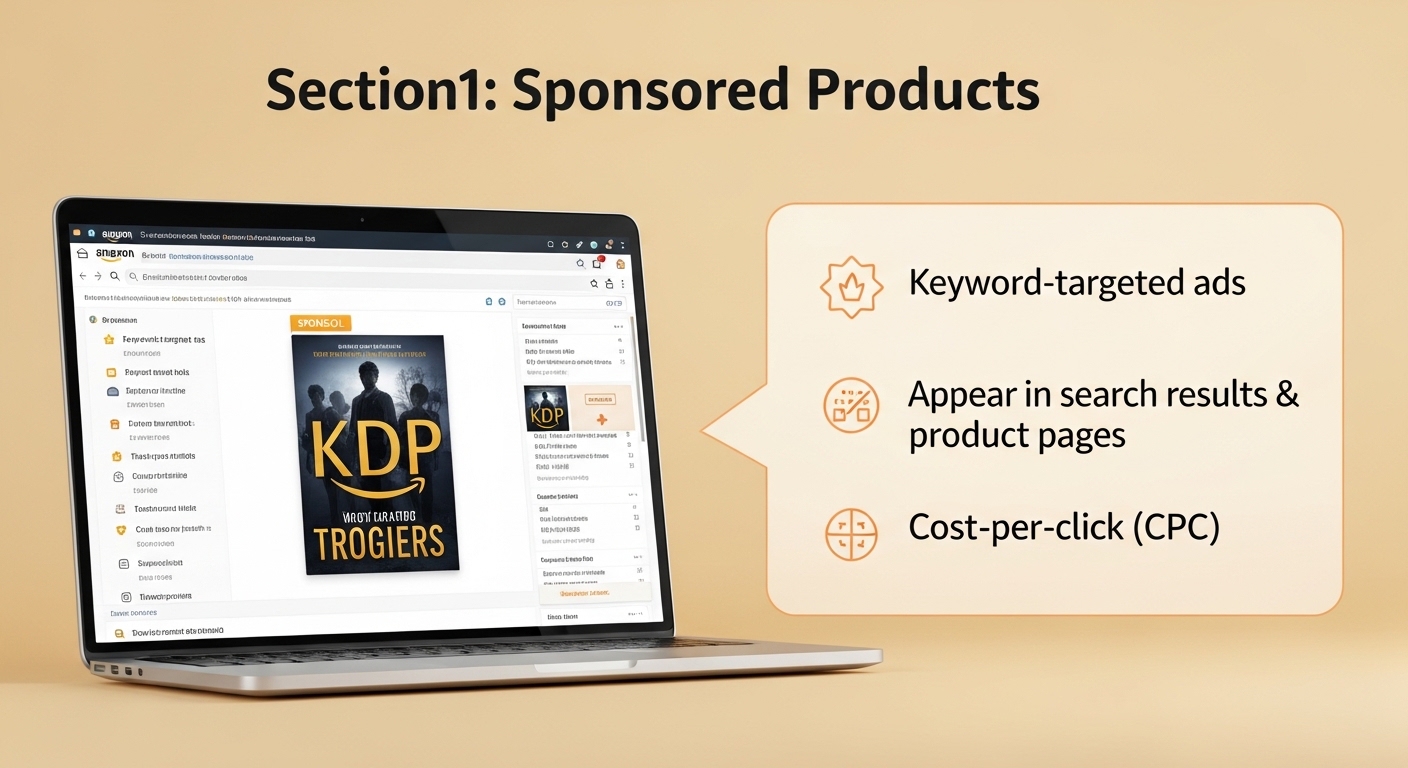
Sponsored Products are the most important ad type for KDP authors. They appear directly in Amazon search results (labelled "Sponsored") and on competitor book product pages. When a reader searches "cozy mystery series" or "intermittent fasting for women," your Sponsored Product ad can appear at the top of those results. You pay only when someone clicks the ad — typically $0.15 to $0.75 per click for most KDP genres.
Sponsored Products work through two targeting methods: keyword targeting (your ads appear when people search for specific terms) and product/ASIN targeting (your ads appear on specific competitor book pages). Both are powerful and should be used together in an optimized campaign structure.
2. Sponsored Brands — After You Have Reviews
Sponsored Brands are banner ads that appear above search results, featuring your book cover image, a custom headline, and up to three books. They are better suited to authors with multiple books in a series or a recognizable author brand. Amazon requires a brand registry enrollment or an author page with sufficient sales history before Sponsored Brands become available to most KDP authors.
3. Lockscreen Ads — Kindle eBook Only
Lockscreen Ads appear on Kindle e-reader device lock screens and are only available for Kindle eBooks enrolled in KDP Select. They are a lower-cost ad type with average CPCs significantly below Sponsored Products — but they are only shown to Kindle device owners and have lower purchase intent than search-triggered ads.
| Ad Type | Where It Appears | Avg CPC | Best For | Start Here? |
|---|---|---|---|---|
| Sponsored Products | Search results + product pages | $0.15–$0.75 | All KDP authors | ✅ Yes — first |
| Sponsored Brands | Top of search results banner | $0.25–$1.00 | Authors with 3+ books / series | ⚠️ After Sponsored Products |
| Lockscreen Ads | Kindle device lock screen | $0.05–$0.25 | KDP Select eBook authors | ⚠️ Optional / low priority |
ACoS — The Metric That Determines Whether Your Ads Are Profitable
ACoS (Advertising Cost of Sale) is the percentage of your ad-attributed revenue that you spend on advertising. It is the most important number in your Amazon Ads dashboard.
ACoS formula: ACoS = (Total Ad Spend ÷ Total Ad Revenue) × 100
Example: You spend $10 on ads that generate $40 in book sales → ACoS = ($10 ÷ $40) × 100 = 25%
Breakeven ACoS — Your Most Important Benchmark
Your breakeven ACoS is the point at which your advertising spend exactly equals your royalty per sale. At breakeven ACoS, you are not making money from ads — but you are not losing money either, and every sale builds reviews and organic rank.
Breakeven ACoS = (Royalty per copy ÷ List price) × 100
Example: List price $12.99, print cost $2.65, royalty = ($12.99 × 0.60) − $2.65 = $5.14. Breakeven ACoS = ($5.14 ÷ $12.99) × 100 = 39.6%
| ACoS Level | Meaning | Action |
|---|---|---|
| Below 20% | Highly profitable | Increase bids — you have room to scale |
| 20%–35% | Profitable | Good target range — maintain and optimize |
| 35% – Breakeven | Marginal | Optimize keywords — cut low performers |
| At Breakeven | Break even | Acceptable for launch phase — builds rank |
| Above Breakeven | Losing money | Pause underperformers — reduce bids urgently |
RoAS — The Inverse of ACoS
Amazon also shows RoAS (Return on Ad Spend) — the inverse of ACoS. RoAS = Ad Revenue ÷ Ad Spend. A 25% ACoS = 4.0 RoAS (you get $4 back for every $1 spent). Some authors find RoAS more intuitive than ACoS. Both measure the same thing from opposite directions — use whichever you find clearer for your decision-making.
Financial Planner Notebook — Track Ad Spend & Royalties
Track your monthly Amazon Ads spend, ACoS, royalties, and net profit in a dedicated notebook alongside your digital dashboard. A physical record forces you to confront the numbers monthly and builds publishing business awareness that screen dashboards alone do not create.
Keyword Targeting Strategy for KDP Ads
Keywords are the foundation of Sponsored Products ads. When a reader types a search query, Amazon matches it against your keyword list and decides whether to show your ad. Your keyword strategy determines which searches trigger your ads, how much you pay per click, and ultimately which sales you generate.
Three Keyword Match Types
| Match Type | How It Works | Example Keyword | Matches | When to Use |
|---|---|---|---|---|
| Exact Match | Triggers only for that exact search phrase | [cozy mystery series] | "cozy mystery series" only | Proven converting terms |
| Phrase Match | Triggers when your phrase appears within a longer search | "cozy mystery" | "best cozy mystery series" / "cozy mystery for beginners" | Controlled variations |
| Broad Match | Triggers for any search containing your keywords in any order | cozy mystery | "mystery cozy books" / "cozy stories mystery" | Discovery — use with caution |
Keyword Categories for KDP Books
- Genre keywords: "thriller novel," "romance books," "self-help book for women" — high volume, competitive, often expensive. Use phrase match.
- Topic/niche keywords: "intermittent fasting for women over 50," "cozy mystery with cats" — lower volume, lower cost, higher conversion. Use exact and phrase match.
- Competitor author names: "James Clear books," "Nora Roberts romance" — allowed by Amazon, can generate highly targeted traffic. Use exact match.
- Competitor book titles: "Atomic Habits book," "Outlander series" — similar to author names. Use with caution — only if genuinely similar content.
- Problem-based keywords: "how to stop procrastinating," "ways to save money" — captures readers in problem-awareness stage. High intent, good conversion.
Use Your KDP Keywords Guide Keywords as Your Ads Starting Point
The keyword research you did for your KDP backend keywords is an excellent starting point for your Amazon Ads keyword list. If "intermittent fasting for women beginners weight loss" is a strong backend keyword, it is likely also a strong ad keyword. Your ads Search Term Report then tells you which of those terms actually generate clicks and sales — feeding back into your backend keyword strategy.
Product & Category Targeting — The Underused Opportunity
Product targeting (also called ASIN targeting) allows you to place your book's ad directly on competitor book product pages. When a reader is viewing a similar book and considers purchasing it, your book appears as a "Sponsored" alternative. This is one of the most effective and underused targeting strategies for KDP authors.
How to Find Competitor ASINs to Target
- Search Amazon for your genre and topic — find the top 10 to 20 bestselling books most similar to yours.
- Copy each book's ASIN (the B0XXXXXXXX code in the URL or in the product description).
- In Amazon Advertising, create a Product Targeting campaign and add these ASINs as targets.
- Set your bid at $0.35 to $0.50 per click to start — product targeting is often cheaper than keyword targeting for equivalent reach.
Category Targeting
Category targeting shows your ads across all books in a selected Amazon browse category. It is broader than ASIN targeting and less precise, but useful for generating visibility across your genre. Target the same subcategories you are competing in organically — this ensures your ads appear in the most relevant section of the store.
Product Targeting Converts Better Than Generic Keywords
A reader viewing a specific competitor book and clicking your ad already knows exactly what type of book they want — they just have not committed to that particular title. This pre-qualified buyer mindset typically converts at a higher rate than someone who found your book through a generic keyword search. Start product targeting campaigns at the same time as keyword campaigns.
Bidding Strategy — How Much to Bid
Your bid determines the maximum you are willing to pay per click. Amazon's auction system means you often pay less than your bid — but your bid determines whether your ad shows at all and how prominently it appears in results.
Starting Bid Recommendations by Genre
| Genre | Starting Bid Range | Competition Level | Notes |
|---|---|---|---|
| Romance Fiction | $0.35 – $0.65 | Very High | Romance has the most competitive ad market on KDP |
| Thriller / Crime | $0.30 – $0.60 | High | Popular genre — competitive but manageable with niche keywords |
| Self-Help / Business | $0.25 – $0.55 | Medium-High | Strong ROI when targeting problem-specific keywords |
| Fantasy / Sci-Fi | $0.20 – $0.50 | Medium | Loyal readers — series targeting is particularly effective |
| Non-Fiction (Niche) | $0.15 – $0.40 | Low-Med | Specific topic NF converts well at low bid levels |
| Children's Books | $0.20 – $0.45 | Medium | Parents buy — target age group and occasion keywords |
| Low Content / Journals | $0.15 – $0.35 | Low | Lowest CPC of any KDP category — great for budget |
| Cookbooks | $0.20 – $0.45 | Medium | Seasonal spikes — holiday cookbook targeting is high ROI |
Dynamic Bidding — Amazon's Bid Adjustment System
Amazon offers three bidding strategies when setting up a Sponsored Products campaign:
- Dynamic bids — down only (recommended for beginners): Amazon reduces your bid when your ad is less likely to convert. Protects your budget from wasted clicks. Start here.
- Dynamic bids — up and down: Amazon can raise your bid up to 100% when your ad is more likely to convert. More aggressive — only use once you have established ACoS data.
- Fixed bids: Your exact bid amount, no adjustment. Use for precise testing only.
Automatic vs Manual Targeting Campaigns
Automatic Targeting — Your Data Collection Campaign
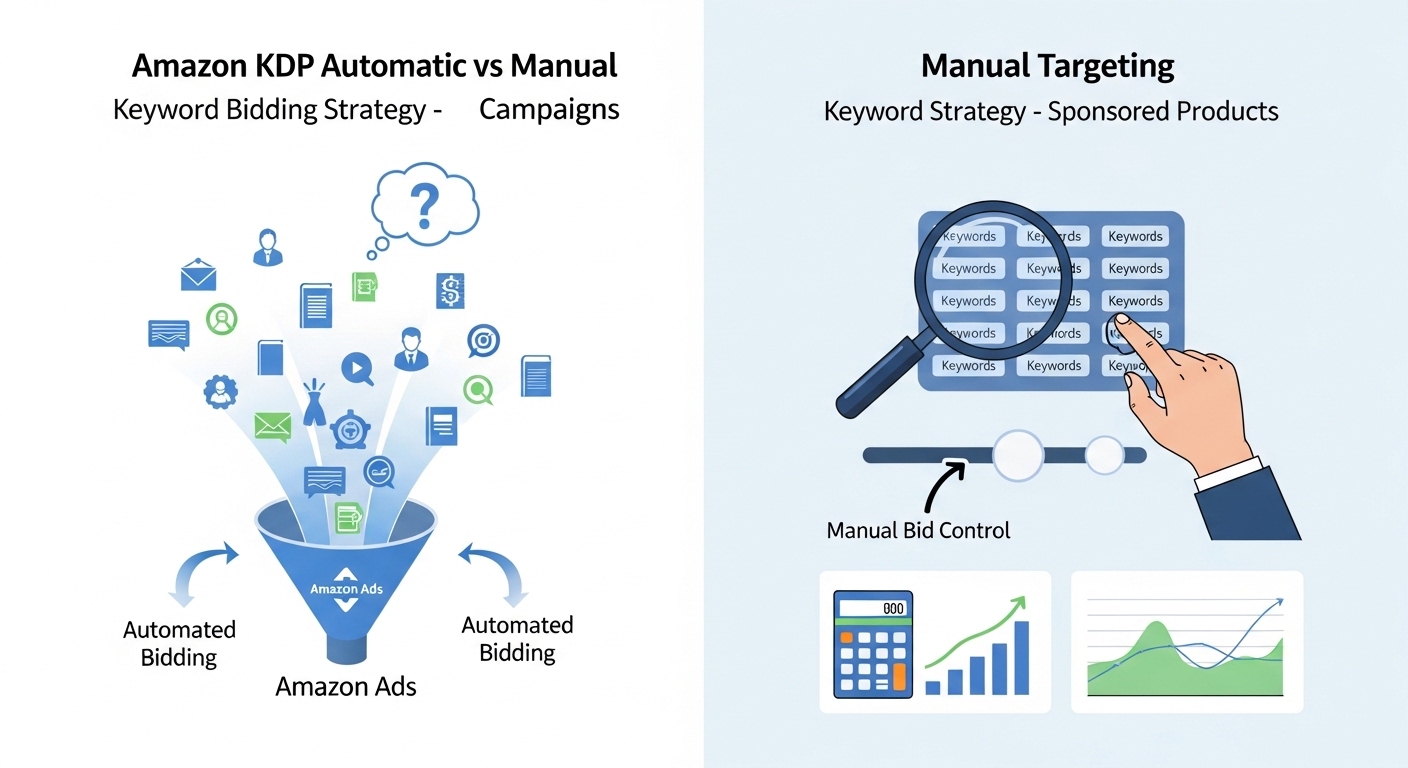
In an automatic targeting campaign, Amazon's algorithm decides which searches to show your ad for based on your book's title, description, and metadata. You do not choose keywords — Amazon does. The benefit is that it surfaces search terms you never would have thought to target manually. The cost is reduced control over where your budget goes.
Use automatic targeting to: discover new converting keywords, identify negative keywords that waste budget, and gather 2 to 4 weeks of data before building a manual campaign.
Manual Targeting — Your Optimized Revenue Campaign
In a manual targeting campaign, you specify exactly which keywords or ASINs you want to target. This gives full control over your budget allocation. After running an automatic campaign for 2 to 4 weeks, use your Search Term Report to identify which terms actually generated clicks and sales — then add those to a manual campaign with optimized bids.
The Recommended Structure: Run Both Simultaneously
| Automatic Campaign | Manual Campaign | |
|---|---|---|
| Budget allocation | 30–40% of total budget | 60–70% of total budget |
| Purpose | Discover new keywords | Scale proven keywords |
| Bid | Set once — $0.25–$0.40 | Individual keyword bids |
| Review frequency | Every 2 weeks | Every 1 week |
| What to do with results | Mine for converting terms → move to manual | Increase bids on converters, pause non-converters |
Campaign Optimization — Week by Week
Amazon Ads are not a "set and forget" system — they require regular review and adjustment to improve performance over time. The optimization process is systematic: gather data, identify what is working and what is not, and make changes based on evidence rather than guesswork.
What to Review in Your Amazon Ads Dashboard
- Search Term Report: Download this weekly. It shows every search term that triggered your ad and whether it generated a sale. The gold in this report: search terms with sales (add to manual campaign as exact match), search terms with clicks but no sales (add as negative keywords).
- Keyword Performance: Review individual keyword ACoS. Keywords with ACoS above your breakeven for 2+ weeks should have bids reduced by 25%. Keywords with ACoS below 20% can have bids increased by 10–15% to capture more impressions.
- Impressions without clicks: Keywords with many impressions but zero clicks often mean your cover or price is not attractive at the point of comparison. This is a signal to review your listing, not your bids.
- Clicks without sales: A high click-through rate but poor conversion rate means people are clicking but not buying. This points to listing quality — description, reviews, or price — rather than targeting.
Never Pause a Campaign Mid-Learning Phase
Amazon's advertising algorithm needs time to learn which customers convert for your book. Pausing and restarting campaigns before 2 weeks of data restarts the learning phase and wastes the data you have already gathered. If your budget is very small, run one campaign continuously rather than multiple campaigns that you need to pause — consistency of spend matters for learning.
Most Common KDP Amazon Ads Mistakes
- Running ads before the listing is optimized. A weak cover, a generic description, or zero reviews means you are paying for clicks that will not convert. Fix the listing first — ads amplify what is already there.
- Setting bids too high immediately. High bids burn budget in the learning phase. Start low ($0.20 to $0.35), gather data, and increase bids on terms that are already converting.
- No negative keywords. Without negative keywords, your ads appear for irrelevant searches that waste budget. After 2 weeks, add every non-converting search term from your Search Term Report as a negative exact match keyword.
- Only running automatic campaigns. Automatic campaigns are for discovery, not performance. Once you have 2 to 4 weeks of data, move proven keywords to a manual campaign where you can bid precisely.
- Making changes too frequently. Changing bids or pausing keywords every 2 to 3 days does not give Amazon's algorithm time to optimize. Review and adjust no more than once per week.
- Ignoring ACoS relative to royalty. An ACoS that looks low in absolute terms can still be unprofitable if your royalty margin is thin. Always calculate your breakeven ACoS before interpreting your performance data.
- Using only broad match keywords. Broad match generates the most impressions but the lowest conversion rate for book advertising. Focus on exact and phrase match for your best keywords.
💰 Calculate Your Royalty Before Setting Your Target ACoS
Your breakeven ACoS depends on your exact royalty per copy. Use our free Royalty Calculator to get your precise royalty at any price point before setting ad campaign targets.
Author Productivity Tools for Ads Management
Managing Amazon Ads alongside writing and publishing requires good tracking habits and a comfortable workspace for regular dashboard reviews.
Related KDP Guides
Amazon KDP Ads — Common Questions
Everything authors ask about setting up and running Amazon Advertising campaigns for KDP books.
Calculate Your Royalty Before Setting Your Ad Budget
Your breakeven ACoS is determined by your royalty per copy. Use our free Royalty Calculator to get the exact number before you set a single bid.
💰 Calculate Royalty Free →